
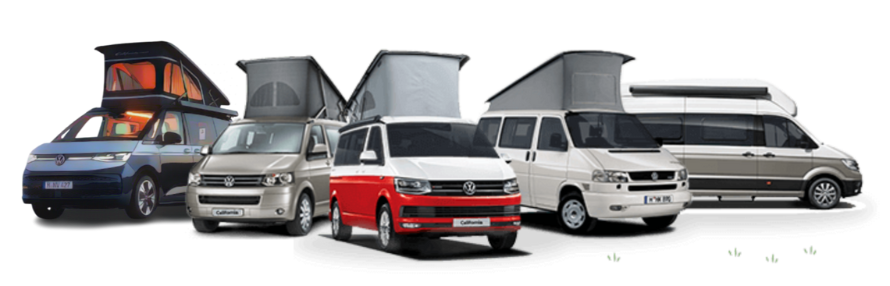
California App connection issues with T6.1 Ocean

L

lohr500

VIP Member
Messages
472
Location
Skipton
Vehicle
T6 Ocean 204 4Motion
Is anyone else experiencing connection issues with the latest California App (Android V 5.0.7.3025) and a T6.1 Ocean?

The older version of the App was always a bit hit and miss for us, but whilst away for a few days this week I found the latest App version to be almost unusable.

It seems to take several attempts to connect to the vehicle. And on most occasions when it does connect it will then drop the connection within a few seconds.

I have tried a full reset of the vehicle system by holding down the wi-fi connect button for 30 seconds and then linking the app again, but it made no difference.
I have tried connecting whilst sat in the driver and passenger seats, sat on the rear bench and outside on both the driver and passenger sides with the front doors open. It doesn't make any difference where I am located.

I find the App is handy for controlling the interior lighting if sleeping upstairs and useful for closing the roof as you can keep an eye on how it folds from outside to make sure it isn't getting trapped in the mechanism.

Would be interested to hear if anyone else has the same problems, or a solution. Thanks.
 
Is anyone else experiencing connection issues with the latest California App (Android V 5.0.7.3025) and a T6.1 Ocean?

The older version of the App was always a bit hit and miss for us, but whilst away for a few days this week I found the latest App version to be almost unusable.

It seems to take several attempts to connect to the vehicle. And on most occasions when it does connect it will then drop the connection within a few seconds.

I have tried a full reset of the vehicle system by holding down the wi-fi connect button for 30 seconds and then linking the app again, but it made no difference.
I have tried connecting whilst sat in the driver and passenger seats, sat on the rear bench and outside on both the driver and passenger sides with the front doors open. It doesn't make any difference where I am located.

I find the App is handy for controlling the interior lighting if sleeping upstairs and useful for closing the roof as you can keep an eye on how it folds from outside to make sure it isn't getting trapped in the mechanism.

Would be interested to hear if anyone else has the same problems, or a solution. Thanks.
App updates can be problematic. Have you tried Deleting the app from your phone. Restart the phone and then re-downloading the app thus having a clean install and start again.
 
Good suggestion @WelshGas

I just tried this and unfortunately it made no difference. It does connect. Sometimes on the 1st attempt, sometimes after several attempts, so the functionality is there, but then it drops the connection shortly after.

I did find an old post where it was suggested that the California App conflicts with Apple Car Play as both are trying to connect through the same gateway.
I use Android Auto, so I will try to find a way of temporarily disabling Android Auto and see if that makes any difference.
 
It can be hit and miss but if you turn off the use wifi as hotspot functionality on the media unit then it works fine, it does mean CarPlay only works via usb C but bluetooth audio/siri etc works fine if the phone is in my pocket.
I can have the app work whilst I am sitting in the living room whilst the Cali is out on the drive

IMG_3288.png
 
@deuteronomy78

Thanks for the suggestion. I tried disabling the wi-fi hotspot as suggested, but unfortunately it didn't make any difference.

Whilst fiddling around with the App I did see a comment saying it wouldn't work at the same time as wireless Android Auto . I eventually managed to disable Android Auto and for a short time the App was stable. But then it dropped out again :rage:rage:rage I think the issue is that even if I connect my phone by USB to get Android Auto working, it is still trying to make a wireless connection somewhere in the background. I ran out of time to delve deeper today, but I will continue to investigate over the weekend.
 
I have given up with it... Hadn't considered any link to Android Auto, but I'm just as happy to just use the control panel. Annoying though that it doesn't just work!
 
I have given up with it... Hadn't considered any link to Android Auto, but I'm just as happy to just use the control panel. Annoying though that it doesn't just work!
Yes, very frustrating, but not a show stopper.
If I can't figure it out in the next few days, i shall also give up on it.
 
There isn’t an app on the planet that doesn’t take longer to achieve whatever it was designed to simplify! Fact.

Find phone
Unlock screen
Swipe to find app
Open app
Scroll through half a dozen menus
Find function
Realise no internet connection
Repeat

OR

Press the light switch.
 
Back
Top